LifeGuard product interface and transactional email evidence
This page is published to help reviewers understand that LifeGuard is a real personal safety reminder app with clear in-app flows, clear recipient boundaries, and limited transactional email use. The interface screenshots below are real captures from the current iOS app build and are paired with the corresponding transactional or safety-related email use cases.
Reviewer Summary
What this evidence page demonstrates
Reviewers can inspect the visible product flows that lead to email sending, the limited recipient sources, and the exact categories of messages supported by the app.
Interface Evidence
Key in-app flows connected to email sending
The most important screens for compliance review are account security, guardian dashboard setup, emergency-contact management, and the alert lifecycle. These are the places from which LifeGuard's limited service emails originate.
Guardian Dashboard
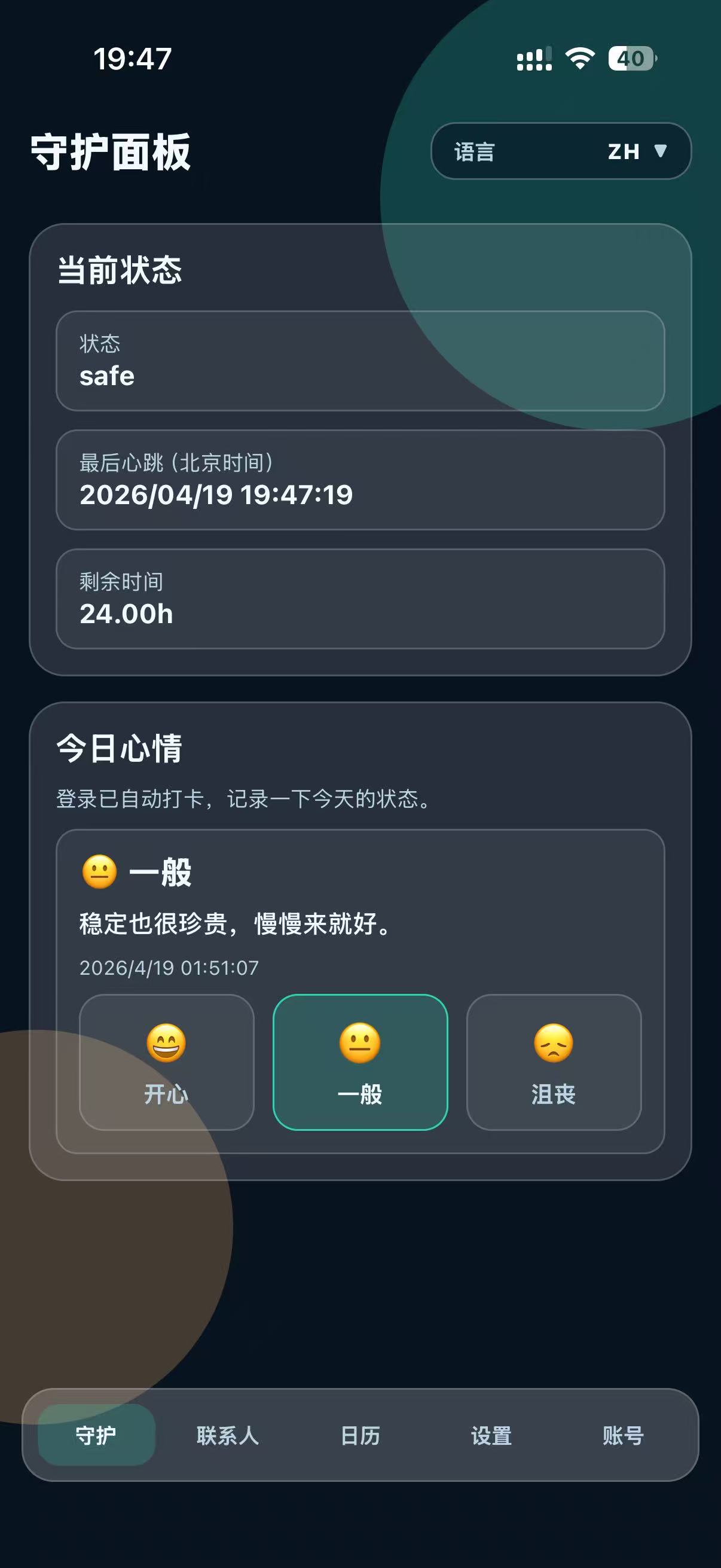
Real dashboard screenshot: status, heartbeat, and daily mood
This real iOS screenshot shows the owner's daily guardian dashboard. It includes the current status, the latest heartbeat timestamp, remaining safe time, and the mood check-in block.
- The owner sees the latest heartbeat and current safe state inside the app.
- This is the operational screen connected to pre-timeout reminder logic and owner-side check-ins.
- The screenshot shows a product utility workflow, not a marketing or campaign workflow.
Email categories linked to this screen: owner pre-timeout reminder and emergency escalation only after the configured timeout window is reached.
Real screenshot
Heartbeat-based flow
Escalates only on timeout
Emergency Contacts
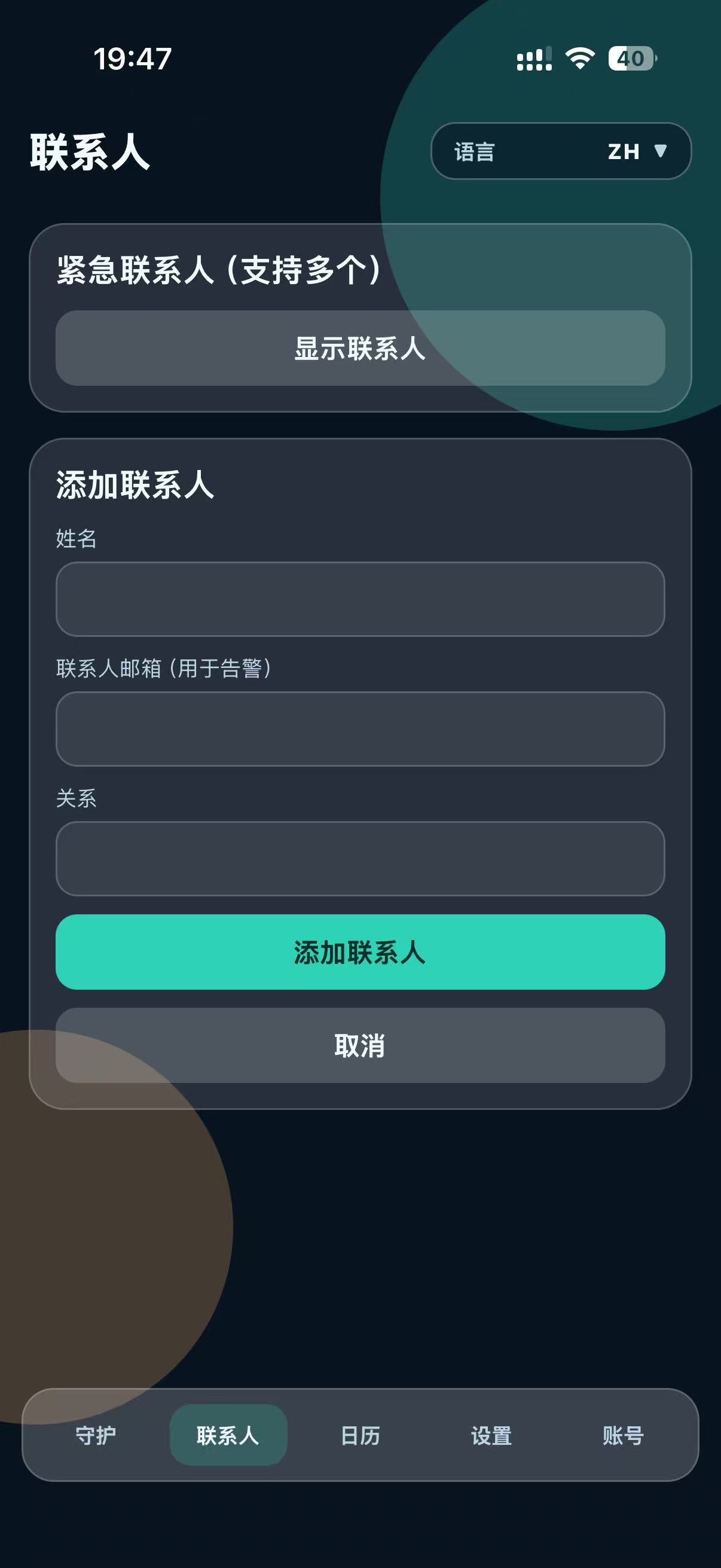
Real contacts screenshot: recipient source is visible and bounded
This real iOS screenshot shows the emergency-contact management screen where the user manually enters the contact name, contact email, and relationship. This is the source of emergency-alert recipients.
- Recipient collection is explicit and tied to a single user account.
- There is no bulk upload, purchased list import, or scraped address collection flow.
- Alert email recipients come only from contact records that the user actively adds.
Email category linked to this screen: emergency-contact alert sent only after the owner's timeout threshold is met.
Real screenshot
User-added recipient
No bulk list import
Mood History
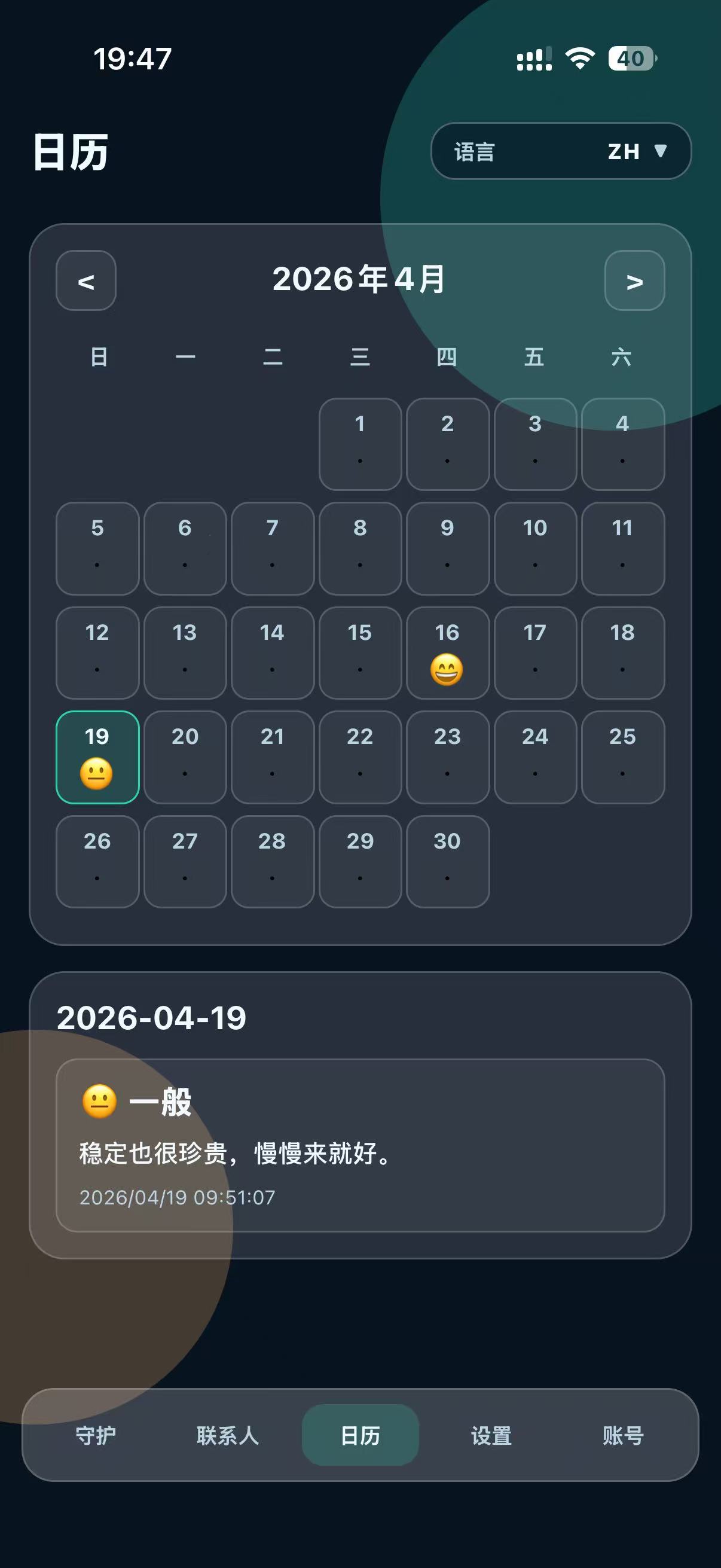
Real calendar screenshot: ongoing personal-use activity
This real iOS screenshot shows the mood calendar view. It demonstrates that LifeGuard is an active day-to-day personal-use app with logged entries, calendar review, and owner-side historical context.
- The calendar view supports the daily personal safety and wellbeing routine.
- It reinforces that the product is built for continuing owner activity, not for outbound marketing.
- The detailed entry view shows recorded mood data tied to the owner's own use.
This screen does not generate marketing email. It supports the legitimacy of the daily-use product workflow connected to the safety reminder system.
Real screenshot
Daily-use evidence
Owner-only history
Settings
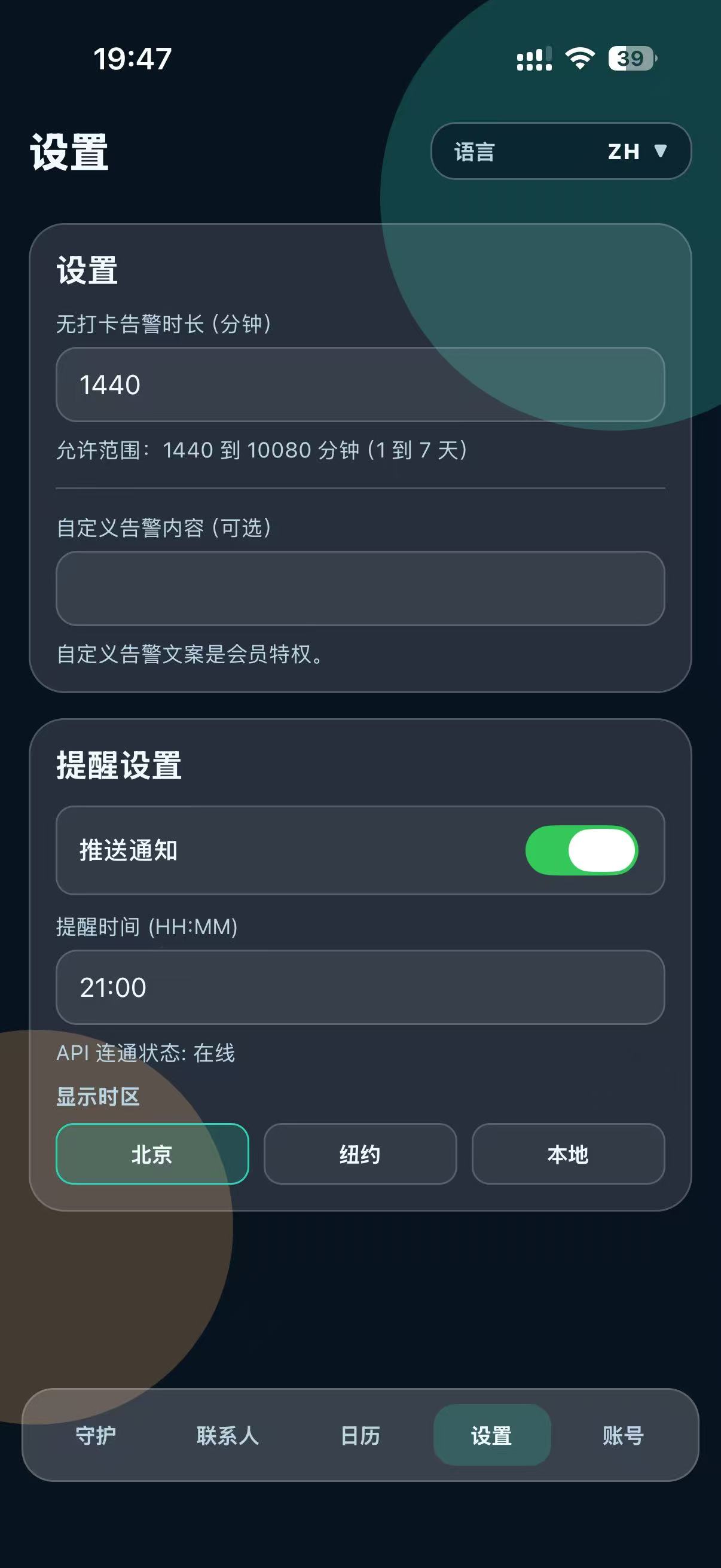
Real settings screenshot: timeout, reminders, and conservative safety controls
This real iOS screenshot shows the settings page where the owner configures the no-check-in alert timeout, optional custom alert text, push reminders, reminder time, and display time zone.
- The screenshot shows that alert sending is controlled by user-defined timing.
- The no-check-in timeout range is visible and bounded inside the app.
- This supports the documented claim that email is event-driven and conservative rather than promotional.
Email categories linked to this screen: owner reminder before escalation and emergency-contact alert after the owner's configured timeout rules are satisfied.
Real screenshot
User-defined timeout
Event-driven email only
Message Categories
Transactional email examples and trigger boundaries
The app supports only a small set of service messages. Each category has a defined trigger, a defined recipient source, and a defined reason for sending.
- Account-security mail goes only to the account owner's own address.
- Safety escalation mail goes only to contacts configured inside the app.
- Bounces, complaints, and stop requests lead to suppression of future non-essential sending.
Additional controls implemented in the backend: rate limiting, verification-code expiry, suppression after SES bounce or complaint, and generic responses for sensitive flows.
Sent when a user actively requests a sign-up code before account creation.
- Purpose: create account securely
- Recipient source: owner's own email
- Control: 10-minute code expiry and rate limiting
Sent when a user actively requests account recovery from the sign-in flow.
- Purpose: restore account access
- Recipient source: owner's own email
- Control: abuse throttling and anti-enumeration response
Sent only as part of the owner's configured safety routine before emergency escalation.
- Purpose: ask the owner to complete a check-in
- Recipient source: owner's own email
- Control: tied to user-defined timeout cadence
Sent only after the owner misses a configured check-in window and the alert rule triggers.
- Purpose: notify a designated contact of a missed safety check
- Recipient source: contact added inside the app by the user
- Control: suppression after bounce or complaint, no marketing reuse
Public References
Related public documentation
These pages explain the product, personal data handling, terms, and email sending policy in more detail.